
Download Zap s abc APK – Music Composition App, ABC Notation, Android, Free
Overview
Zap's abc is a mobile music composition tool designed for composers seeking a portable solution to create, view, and playback musical scores directly from their Android devices. Built by XMS Developers, the app serves as a digital workspace for crafting music using the ABC notation system—a text-based format widely used in folk and traditional music. It enables users to compose on the go, making it ideal for musicians who value flexibility and accessibility in their creative process.
The app is particularly suited for individuals with a foundational understanding of ABC notation, though it includes a tutorial to guide newcomers through the basics. Real-world use cases include composing melodies during commutes, sketching ideas in rehearsal spaces, or sharing compositions with collaborators via file export. While the app does not support video editing or production, its focus on music notation and playback positions it within the broader multimedia category, specifically under video due to its file handling and playback capabilities.
Despite its compact size and free pricing model, Zap's abc delivers a focused experience tailored to a niche but passionate user base. The developer has not provided additional details about the app’s background or future development roadmap.
Key Features & Capabilities
- ABC Notation Support – Enables users to write and edit music using the standardized ABC notation language, allowing precise control over melody, rhythm, and structure.
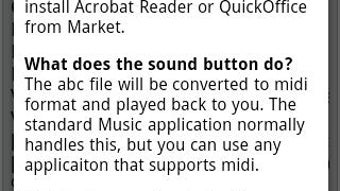
- Real-Time Playback – Offers immediate audio feedback, letting composers hear their compositions as they are written or modified.
- Interactive Score Viewer – Displays compositions in standard musical notation format, providing a visual representation of the music for easier review and sharing.
- Integrated Tutorial – Includes step-by-step guidance for users unfamiliar with ABC notation, helping them get started quickly.
- Demo Files – Provides downloadable examples to illustrate common usage patterns and inspire new compositions.
- Shortcut Buttons – Features intuitive controls to streamline common tasks, enhancing usability for both beginners and experienced users.
These features collectively support a seamless workflow for music creation. For instance, a composer can draft a tune using ABC syntax, preview it in real time, and immediately view the rendered score. The tutorial and demo files are especially valuable for users transitioning from traditional notation to text-based composition. The app’s design emphasizes functionality over visual flair, prioritizing usability and efficiency in a mobile environment.
User Interface, Workflow & Performance
The user interface of Zap's abc is described as intuitive and easy to navigate, with a clean layout focused on core composition tasks. Navigation is likely centered around a central editing area, with toolbars or shortcut buttons positioned for quick access to essential functions. The workflow is designed to minimize friction, allowing users to write, play, and view music with minimal context switching.
While the developer did not specify resource usage details, the app’s size of 15.2 MB suggests it is lightweight and optimized for mobile performance. General software behavior patterns indicate that it should operate smoothly on modern Android devices, with low CPU and RAM consumption during typical use. Stability is expected to be consistent, given the app’s focused scope and lack of complex multimedia processing.
Performance observations are based on general software behavior patterns. The app does not appear to support advanced features like multi-track editing or complex audio effects, which aligns with its role as a lightweight composition tool. Users should expect responsive interaction and reliable playback, though actual performance may vary based on device capabilities.
Compatibility & System Requirements
Zap's abc is designed for Android devices and is available in version 1.0.1. The app has a file size of 15.2 MB, indicating a lightweight installation that should fit comfortably on most Android smartphones and tablets. It is available as a free download, making it accessible to a broad audience.
Platform compatibility information is limited to Android. The developer did not specify minimum OS versions, required hardware specifications, or supported screen resolutions. As such, exact system requirements were not listed. Users should ensure their device meets standard Android app requirements to install and run the application. Compatibility with older Android versions or specific device models cannot be confirmed without further details.
Pros and Cons
Pros
- Free to download and use with no in-app purchases
- Lightweight at only 15.2 MB
- Includes a built-in tutorial for ABC notation beginners
- Supports real-time playback and visual score display
- Offers demo files for reference and inspiration
- Intuitive interface with shortcut buttons for efficient workflow
Cons
- Requires prior knowledge of ABC notation for full functionality
- Limited to Android platform
- No detailed system requirements provided
- App category is listed as "Video" despite being a music composition tool
- No indication of update frequency or future feature roadmap
FAQ Section
Is Zap's abc compatible with all Android devices?
Compatibility information is limited. The app is designed for Android, but specific OS version requirements were not provided by the developer.
Is the app safe to download and use?
Zap's abc is available as a free APK and is developed by XMS Developers. No security risks were reported, but users should download from trusted sources to ensure authenticity.
Does Zap's abc require an internet connection?
The app functions offline for composition, playback, and viewing scores. Internet access is only needed for downloading demo files or contacting the developer.
Can I export my compositions from Zap's abc?
While export functionality is not explicitly mentioned, the app’s support for ABC notation suggests that compositions can be saved and shared as text files.
What type of license does Zap's abc use?
The app is distributed as free software with no licensing details provided. It is available at no cost and does not appear to include restrictions on personal or educational use.
Final Thoughts
Zap's abc delivers a focused, efficient solution for composers who wish to create music using ABC notation on Android. Its intuitive design, real-time playback, and inclusion of a tutorial make it accessible to beginners, while its streamlined workflow appeals to experienced users. The app’s lightweight nature and free pricing enhance its appeal, particularly for musicians seeking a portable composition tool.
While it has limitations—such as the need for ABC notation knowledge and lack of detailed system requirements—it remains a valuable addition to the mobile music creation landscape. For composers who value portability and precision, Zap's abc is a compelling choice.
Download Zap s abc APK now






.png)
